Kitchen designers work to a rule that's older than anything in your kitchen. Before they pick a single appliance, they look at where the cook actually stands. The sink, the stove and the refrigerator go in a triangle, close enough that the walk between them stays short, because that walk happens every time anyone makes a meal. The brand of the range comes later. Put the triangle in the wrong place and the nicest range on the market just becomes the far corner you keep walking to.
Most real estate teams shop for AI in the opposite order. Somebody reads a list of the best AI tools for real estate agents, buys two of them, and sends the team one email about it. Six weeks later both tools are still there and the week looks exactly the same. The tools were fine. They were installed in the wrong corner of the kitchen.
So you won't find a ranked list here. The product names change every quarter, and for most teams the tool matters a lot less than where it sits in the week. Start with the week, not the store. What follows is the four stretches of a real estate team's week where AI earns its keep, the kind of tool that fits each one, and what to check before any of it touches a client's information. If you want the bigger picture of how a team rebuilds its week around a governed Digital Crew, that's on the AI for real estate agents and teams page. This post is about the tools.
A tool list is written for one agent. You're running a team.
The usual best-of list assumes a single agent at a laptop, choosing an app for themselves. A team is a different animal. You've got several agents, maybe a transaction coordinator, a CRM that half the team keeps current, a transaction platform, the MLS and everyone's inbox. Every new tool you add is one more place to switch to, and the Toggle Tax, the cost of switching between all of those systems, gets paid by every person on the team, every day.
Then there's ownership. A tool that nobody on the team owns doesn't get set up properly, doesn't get your team's language or examples, and doesn't get anyone checking whether it helped. It just becomes another tab. That's how teams end up in Pilot Purgatory: plenty of tools, nothing that scaled.
I've done my own version of this. I once spent a couple of hours in Zapier trying to build a smart agent, and what I ended up with was a more and more complicated automation that I eventually abandoned. Zapier wasn't the problem. I hadn't decided what job the thing was supposed to do.
Four stretches of the week, and what each one needs
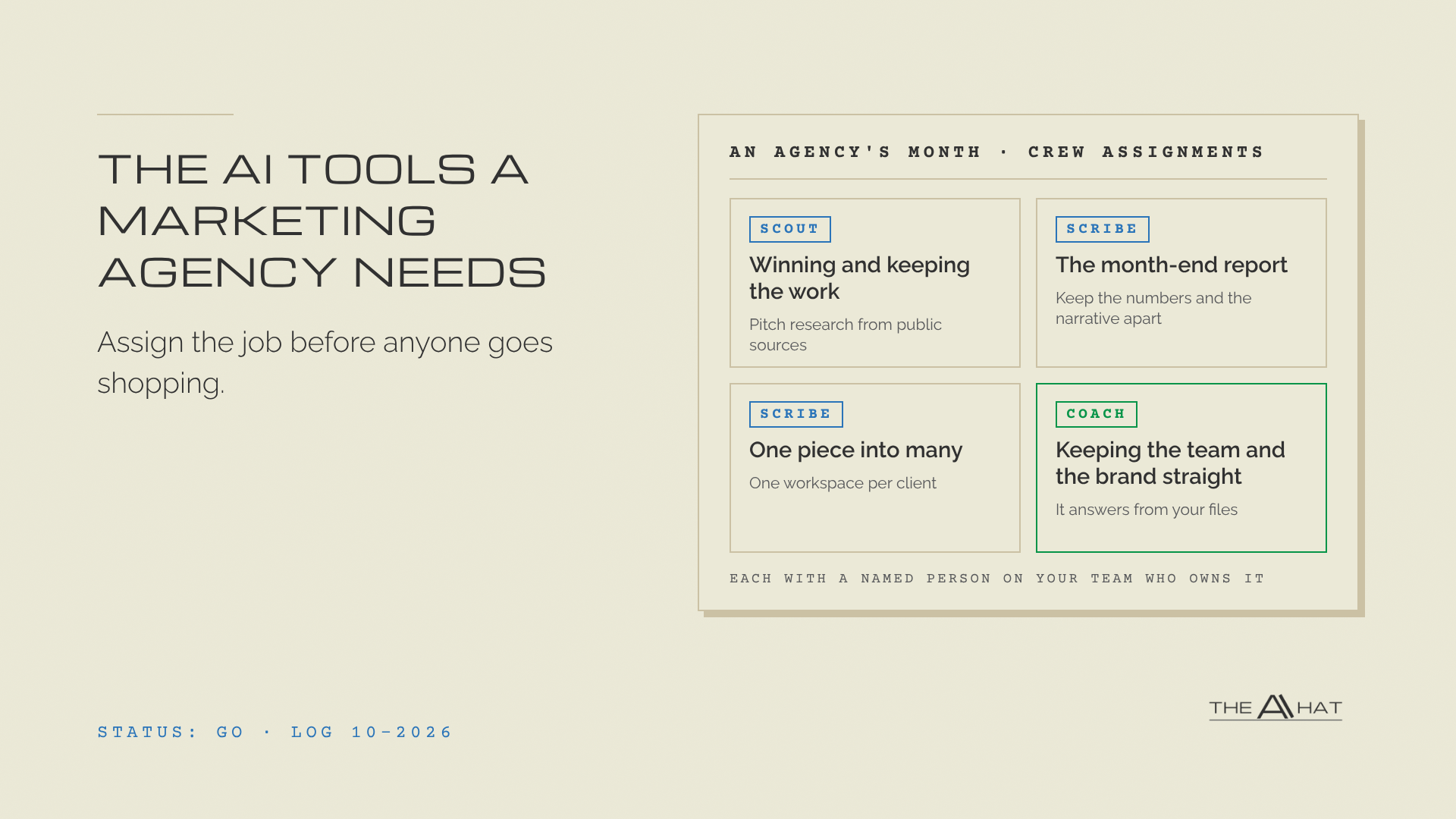
A real estate team's week breaks into roughly four stretches of work that isn't selling. Each one has a different shape, so each one wants a different kind of tool. The three crew seats, Scout, Scribe and Coach, map onto them cleanly, which is useful later when you decide who owns what.
Finding and following up
This is Scout's stretch: getting ready for the first call with a new lead, and noticing the past clients who should hear from you this month. The best tool here is usually the one you already have. Many CRMs now include AI features of their own, so check what yours can already do before you buy anything. Where it falls short, a general-purpose assistant such as ChatGPT, Claude, Gemini or Copilot can work from what you export: the notes on a lead before the call, or a list of purchase anniversaries and "check back in the spring" requests that turns into this week's call list.
One rule keeps this from turning into a mess. The CRM stays the source of truth. The AI reads from it and hands something back to the agent. It never becomes a second database that only one person knows about.
Launching a listing
The listing description, the showing schedule, the feedback from agents who showed it, and the seller update that turns three texts and a voicemail into something the seller can actually read. That's Scribe work, and a general-purpose assistant handles most of it well, provided you give it your team's own best past listings and seller updates as examples. Without them it writes like the internet's average listing, and your sellers will notice.
The description needs one more guard. Federal fair housing law makes it unlawful to publish a notice, statement or advertisement for the sale of a home that indicates a preference, limitation or discrimination based on race, color, religion, sex, disability, familial status or national origin (42 U.S.C. 3604(c)). An AI drafting a description has no idea that "perfect for a young couple" can be read as exactly that. So the rule goes in two places: in the assistant's instructions, and in your process, where the agent reads and approves every word before it publishes.
Contract to close
Once a deal is under contract, the deadlines start: inspection, appraisal, financing, the final walkthrough, each with its own thread and its own person to chase. The tool that fits is one that can read a document and lay out dates, in an account your brokerage has approved for client documents. Hand it the executed contract and ask for one timeline, every date, with the person on your team who owns each step. Your transaction platform still holds the record; the AI just saves somebody from keying the same dates into three systems.
This is also where the line is brightest. The crew reads the contract to find dates. It never interprets the contract, and it never tells a client what a clause means.
Getting the team ready
Coach's stretch is the one teams skip, and it's the one that keeps paying, because every agent you hire after today uses it too. A new agent has a dozen how-do-we-do-this questions a week, and the answers live in your head or in a shared drive nobody opens. Most general-purpose assistants now let you set up a project with your own documents in it, so it answers from your files instead of the internet. Put your playbook, your listing presentation and your scripts in there, and a new agent can ask it first and ask you second. The same setup will run a listing presentation with your agent the night before, objections included, in your team's own language.
Before any of it touches a client's information
Your team handles other people's finances, addresses, schedules and family situations. If your team is like most, someone is already using AI on a personal account, and you probably don't know which agent or what they've pasted in. Banning it won't stop it. It just goes quiet.
Governing it is short work. Pick the tools the team is allowed to use, on accounts the brokerage controls rather than personal ones. Decide which data goes where: a listing description can go almost anywhere, an executed contract only into the tool you've approved for client documents. Then, for every job you hand to AI, write down two things. The first is the name of the person on your team who owns it. The second is the decision it never makes: no pricing advice, no interpreting a contract, nothing a license is required for, and nothing a client sees until an agent has approved it.
That second list is the easy one to skip, and it's the one that keeps a helpful tool from becoming a liability.
Where to start this month
Don't start with a tool. Start with one real piece of work. The method I use with clients is the Walkdown: follow one listing, start to finish, the way it actually happened last time. Question every step, because a step with no reason on file gets scrubbed. Then decide which of the steps that survive belong to a person, which to a simple automation and which to an AI agent. Last, check it with the agent doing the work. If they say it didn't help, it goes back to the start.
Out of that walk, pick the one step that ate the most of last week. Give it to the AI you already pay for, in an account the brokerage controls. Name the person who owns it, and write down the decision it never makes. That's your first crew member, and it took a walk and an afternoon rather than a software budget.
The second step is easier than the first, because now you know where your triangle is.
If you lead a team of a dozen or fewer and you'd rather hire that first crew member with help than by trial and error, that's what a Crew Launch is. Two live sessions: your team trained on the one AI you've chosen, then your first Digital Crew member hired from your own work, with a named person on your team who owns it.
FAQ
Is a general-purpose AI like ChatGPT enough for a real estate team, or do we need a real estate AI tool?
For the writing, summarizing and preparing jobs in this post, a general-purpose assistant with your own examples covers most of it. A real estate tool earns its place when it lives inside a system you already run every day, like your CRM or transaction platform, because then it adds no new tab. Decide step by step, not by category.
Can AI write listing descriptions without creating fair housing problems?
It can draft them, and it can also produce wording that signals who should live in the home. Put the fair housing rule in the assistant's instructions, include your state's protected classes (some states protect more than the federal list; Colorado, for one, adds sexual orientation, source of income and military status), and keep a licensed agent's approval on every description before it publishes.
What client information should stay out of AI tools?
Nothing identifying a client goes into a personal account, ever. Contracts, financial details and anything a client told you in confidence go only into the tool your brokerage approved for that kind of data. When you just need help thinking a situation through, describe it without the name and the address, and you'll get the same help.